
MagnusBilling includes a Backup submenu under Configurations for viewing, creating, downloading and deleting server backups. The original feature was introduced in version 7.3.6 and remains an operational tool that must be combined with off-server copies and tested restores.
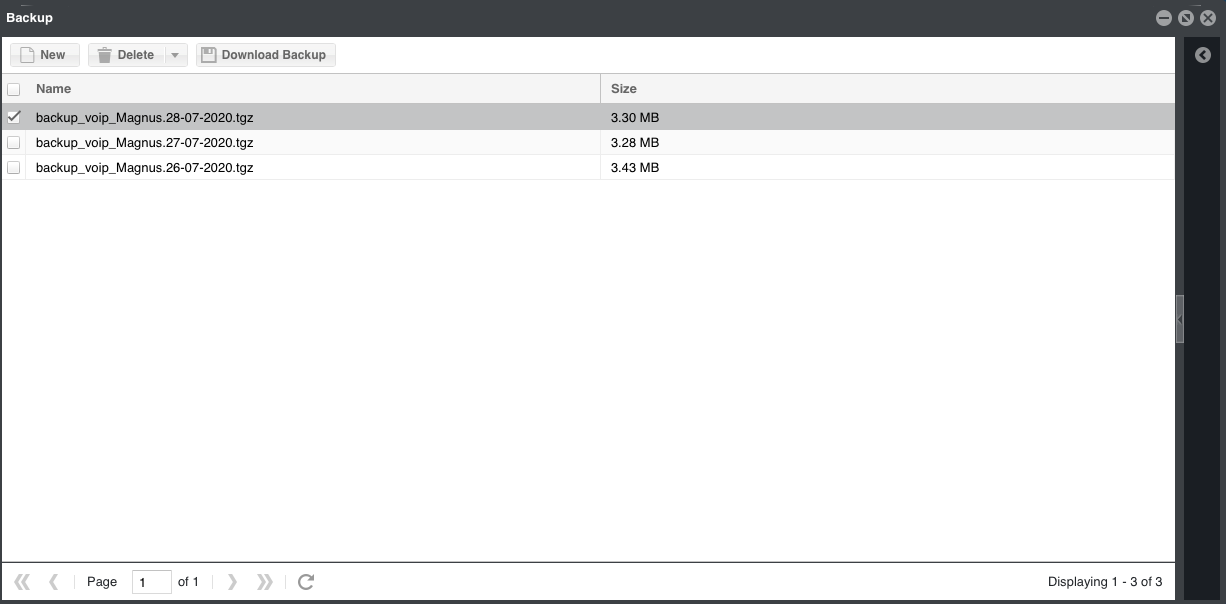
Important operating notes
- The automatic backup job normally runs once per day; confirm its actual schedule on the installed server.
- Creating another backup for the same day may overwrite that day's archive.
- Large databases take longer and require more disk space.
- Avoid an on-demand backup during peak calling activity.
- Download or replicate important archives to storage outside the production server.
- Use retention rules so old archives cannot fill the server disk.
- A backup is not proven until a restore has been tested.
Create a backup from the command line
For a large database, run the MagnusBilling backup job from SSH in a maintenance window and monitor disk space and completion.
/var/www/html/mbilling/cron.php BackupRestore only with a tested recovery plan
A database restore is destructive. Keep the current database and configuration, stop application writes, inspect the archive and have console access before proceeding. Commands and database credentials vary by release; confirm them against the installed version instead of copying legacy DROP/CREATE commands blindly.
- Copy the archive to a protected working directory and verify its checksum.
- Extract it and identify the database dump and configuration files.
- Create a separate safety backup of the current database.
- Restore into a staging database first whenever possible.
- After an approved production restore, verify schema, panel login, trunks, PJSIP endpoints, calls, billing, cron jobs and logs.
Production backup baseline
- Keep multiple generations and at least one copy outside the server.
- Encrypt backups that contain credentials or customer data.
- Restrict file permissions and access logs.
- Monitor job failures and available disk space.
- Document and rehearse the recovery procedure.